
Showing posts with label Tips n Tricks. Show all posts
Showing posts with label Tips n Tricks. Show all posts







1. Cut-
The diamond’s reflective qualities. Cut determines the brilliance of the stone according to the scale ranked on. The highest grade is “Ideal” and “fair” and “poor” is the lowest. The higher the grade, the more expensive the diamond.
2. Color-
Absence of color, colorless diamonds are more valued. The highest color grading is D and lowest is Z (brownish yellow).
3. Carat-
The weight, one carat is 0.2 grams. The more heavy the diamond the more expensive it is.
4. Clarity-
The visibility, the less the inclusions the better the quality of diamond
5. Certification-
Reputable jewelers provide that details the quality of diamond.
On 10:31 AM
READ FULL POST



Close Background Applications
If you're using a Smartphone, close applications that you don't need. Applications that stay active in the background use up a bit of CPU, which uses up battery. Make sure you 'exit' the applications from the menu, not by pressing the 'End' key, as that merely puts the application in the background. In Series 60 Smart phones (mostly Nokia, hold down the 'Menu' key to get a list of all applications running in the background to close them. In Windows Mobile 5 phones, open the 'Memory' application and check the 'Running programs' tab to close them.
Turn Down Screen Brightness
The screen is one of the most power-consuming parts of the mobile phone. The lower the brightness, the lesser power it needs. Keep it as low as you can, so long as you can still see it! Also, some phones like the E61 and the BlackBerry Pearl come with auto-adjust features that increase the brightness in brightly lit areas and dim it in low-light areas. If you're setting the brightness low, make sure that auto-adjust is turned off.
Don't Use Animated Wallpapers or Screensavers
The animations in wallpapers and screensavers can drain a bit of battery as they also consume a wee bit of CPU. Turn them off.
Turn Off Keypad Lights
If you've been using the phone for a while, you may be able to use the keys without seeing them. If this is the case, the keypad backlight can be turned off. However, not a lot of phones support this, but it's worth considering if your phone does.
Decrease Screen Standby Time Out
The time till your screen dims out and/or gets turned off is configurable in most phones. 10 seconds is good, 5 seconds is better. Set it as low as you can go without it becoming inconvenient.
Turn Off Vibration
Probably the second most power-consuming feature of any mobile phone is the built-in vibration alert. See if you can do without it.
Turn Down Ringer Volume, Keypad Tones and Speaker During Calls
If you're mostly indoors, like in the office or at home, a low ringer volume can go a bit towards saving your battery. Most phones also have DTMF-like keypad tones, which are not necessary if the keypad has decent tactile feedback. I keep them turned off most of the time — you can try it too. Volume of the earpiece when you're on a call can also be lowered, and that helps too.
Disable Voice Clarity / EFR / Voice Privacy
Almost all phones now do Enhanced Full Rate (EFR) for voice communication that consumes a little more power. In most cases, the enhanced quality of EFR doesn't make a difference thanks to the high noise levels in our city. Keep it off, you probably won't miss it. Some phones (mostly Samsungs) have a 'voice privacy' feature which can also be turned off to save battery.
Turn off 3G / GPRS / EDGE
Most 3G/UMTS/WCDMA phones keep searching for 3G coverage by default. In India, they'll keep searching till 2008, draining your battery, so go to the network selection screen and choose GSM-only. If your phone has a secondary camera near the screen, it's a 3G phone. Check your phone’s specs on the website if you aren't sure. Sometimes, even regular GPRS or EDGE connections stay active in the back, so make sure you specifically disconnect when you're done browsing the web.
On 7:58 AM
READ FULL POST
You must have often seen students biting their nails before exams, actors doing it at back stage, or degree holders doing it before going for the interview. Nail biting is a decision taken unconsciously out of nervousness, excitement or anxiety. However If not controlled then in no time it develops into a habit.

Why would any one want to stop this habit?
- The chief reason is that we all want to have long, beautiful and well shaped nails which we can show off. These kinds of nails a nail biter surely can't afford.
- It damages ones personality also. Imagine that on a date a girl out of nervousness starts biting her nails. That will obviously give a bad impression to the boy.
- The germs and dirt settled under the nails goes into the mouth during the activity of biting nails which earns a bad health for one.
Quiting the habit of nail biting is not a tough job. With little bit of self control and determination any of us can do it.
On 8:36 AM
READ FULL POST

Good news for my readers .. do you wanna earn some income by using facebook ? Here I have found a solution for u ... Now you just need to follow the directions shown in the following video .. and u will start making money .
Goviral Network has now made the things easy for you .. u just need to sign up and post videos and u will see the results in couple of days : )
But there is bit limitation what I see is it will pay you on the videos that are seen by the users from targeted countries only .. so it is a bit discouraging factor but I hope u ppl will make a good use of facebook and atleast will start earn ur bread on ur own : )
On 2:49 AM
READ FULL POST
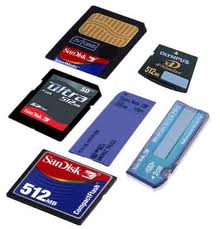
Some times it happens that you forgot the password of your memory card and you have lots of your important data in your phone.
So there are two types of methods for recovering the password of your memory card with the help of nokia phone.
For Nokia s60 1st and 2nd edition phones.
1. First Install FExplorer in your phone memory.
2. Got to drive C: , you will find a file called mmcstore
3. Send it to your pc directly and open it in notepad or rename the file.
4. At the end of the file you will find your password.
For Nokia S60 3rd Phones, Nokia N-Series and Nokia E-Series
There is almost no way yet known to hack the memory card password in case of these types of phone but there is a way to do it some of the s60 3rd edition phones and almost all the E-series phones.
The remote lock option in E-Series phone allws you to unlock your phone by sending a sms.
The only thing you have to do is to activate this feature by going to Tools | Settings | Security | Phone and SIM | Allow remote lock menu. The password of your memory card will be your remote lock message.
So you have to just send a sms containing your remote lock message that will automatically change your memory card passsword.
For All Other Phones
To unlock memory card password,first of all you need to install system explore version 1.80 application on your phone memory.Then open the system explore,
1. Go to File browser .
2.Open c: Phone memory.
3.Open system folder and then find file... name mmc store.
4.click option,then open with Ansi editor.
5.The password are written at the text.(usually the lastly text).
6.use the password to open the memory card.
you can find your MMC password by using third party software such as "seleQ and FExplorere" which open "C:\system\mmcstore". send this particular file into your PC by IR. Opena the mmcstore with notepad of your PC...so you will find the password code.
For All Other Phones
To unlock memory card password,first of all you need to install system explore version 1.80 application on your phone memory.Then open the system explore,
1. Go to File browser .
2.Open c: Phone memory.
3.Open system folder and then find file... name mmc store.
4.click option,then open with Ansi editor.
5.The password are written at the text.(usually the lastly text).
6.use the password to open the memory card.
you can find your MMC password by using third party software such as "seleQ and FExplorere" which open "C:\system\mmcstore". send this particular file into your PC by IR. Opena the mmcstore with notepad of your PC...so you will find the password code.
On 1:34 AM
READ FULL POST

These days hackers and some other are so smart that may steal your account passwords and you never get to know about it, as they keep on logging to your account from other computers without your knowledge and peek into your account without your permission.
So, if any one else login to your account from some other computer other than the registered one or the some other mobile phone other than your registered mobile phone you will get notified via email.
After you have successfully log in. Perform the steps below
Click Account button at the top right corner (drop down menu appears)
Click Account Settings

After you have clicked Account Settings, the “My Account” page will load. After it has fully loaded, (under Settings tab) scroll down to the bottom of the page and look for Account Security, then click change (image below will appear)

Facebook will ask you “Would you like to receive notifications for logins from new devices?”. Select Yes and click Submit. In order for this setting to work you need to logout from facebook.
Login to Facebook again. After you have logged in a page similar to the image below will appear. It will ask you to name your device.
A. Enter the name of your device.
B. Check the Don’t ask me again from this computer
C. Click Continue

Thats all folks ; ) ..... enjoy safe facebooking
On 6:37 AM
READ FULL POST
Warning!
We are not responsible to accident with your phone.
You trying this codes only at your own risk!
We are not admit any explanation.
Thanks.
We are not responsible to accident with your phone.
You trying this codes only at your own risk!
We are not admit any explanation.
Thanks.

Sony Ericsson Secret Menu: -> * <- <- * <- *
(-> means press joystick, arrow keys or jogdial to the right and <- means left.)
You'll see phone model, software info, IMEI, configuration info, sim lock status, REAL time clock, total call time and text labels.
You can also test your phones services and hardware from this menu (main display, camera, LED/illumination, Flash LED, keyboard, earphone, speaker, microphone, radio and vibrator tests)
IMEI Number: *#06#
(-> means press joystick, arrow keys or jogdial to the right and <- means left.)
You'll see phone model, software info, IMEI, configuration info, sim lock status, REAL time clock, total call time and text labels.
You can also test your phones services and hardware from this menu (main display, camera, LED/illumination, Flash LED, keyboard, earphone, speaker, microphone, radio and vibrator tests)
IMEI Number: *#06#
Lockstatus: <- * * <-
Shortcut to last dialed numbers: 0#
Shortcut to sim numbers: On main menu type a number and press #
If you change the language from default to any other language, then it may be difficult to switch to default language. The shortcut is very simple. Just press < 0000 > . < stands for left arrow button or joystick and > stands for right arrow button or joystick.
Reset English Menu: *#0000#
Programming Menu (Short): 987 + >
Programming Menu (Long): 923885 + >
Field Test: 904090 + > (to exit 904090 + >)
Phone Test: 904059 + > (to exit 3 + <)
Analog Mode: 904095 + menu DM mode 904959 + menu
Programming Menu (Short): 987 + >
Programming Menu (Long): 923885 + >
Field Test: 904090 + > (to exit 904090 + >)
Phone Test: 904059 + > (to exit 3 + <)
Analog Mode: 904095 + menu DM mode 904959 + menu
Here are some of hidden smilies for messages. You wont find them in "Add symbol"
1. :-]
2. :-[
3. :-*
4. [:]
5. :<^
6. ://
7. :&
8. :'(
1. :-]
2. :-[
3. :-*
4. [:]
5. :<^
6. ://
7. :&
8. :'(
Hot Searches : unlock codes , codes for sony ericsson , secret codes , sony ericsson secret codes , unlock sony ericsson cell , unlock for free sony ericsson , free sony ericsson unlock , recover sony ericsson
On 8:56 AM
READ FULL POST
Warning!
We are not responsible to accident with your phone.
You trying this codes only at your own risk!
We are not admit any explanation.
Thanks.
We are not responsible to accident with your phone.
You trying this codes only at your own risk!
We are not admit any explanation.
Thanks.

*#06# IMEI code
*#9998*4357# Help Menu
*#9998*5282# Java menu (GRPS/CSD settings for JAVA server)
*#9999#0# Monitor Mode
*#9999# or *#9998*9999# Software Version
*#8888# or *#9998*8888# Hardware Version
*#9998*746# or *#9998*0746# or *#0746# Sim Infos
*#9998*523# or *#9998*0523# or *#0523# Display Contrast
*#9998*842# or *#9998*0842# or *#0842# Vibration On (until you push OK)
*#9998*289# or *#9998*0289# or *#0289# Buzzer On (until you push OK)
*#9998*288# or *#9998*0288# or *#0288# Battery & Field Infos
*#9998*377# or *#9998*0377# Error log
*#9998*778# or *#9998*0778# or *#0778# Sim Service table
*#9998*782# show date and alarm clock
*#8999*638# show network information
*#9998*5646# change operator logo at startup
*#9998*76# production number
*#9998*968# view melody for alarm
*#9998*585# Non-Volatile Memory (NVM)
*#3243948# Digital Audio Interference Off
*#32436837# Digital Audio Interference On
*#1111# S/W Version
*#1234# Firmware Version
*#2222# H/W Version
*#8999*8376263# All Versions Together
*#8999*8378# Test Menu
*#4777*8665# GPSR Tool
*#8999*523# LCD Brightness
*#8999*377# Error LOG Menu
*#8999*327# EEP Menu
*#8999*667# Debug Mode
*#92782# PhoneModel (Wap)
#*5737425# JAVA Mode
*#2255# Call List
*#232337# Bluetooth MAC Adress
*#5282837# Java Version
Type in *#0000# on a Samsung A300 to reset the language
Master reset(unlock) #*7337# (for the new samsungs E700 x600 but not E710)
Samsung E700 type *#2255# to show secret call log (not tested)
Samsung A300, A800 phone unlock enter this *2767*637#
Samsung V200, S100, S300 phone unlock : *2767*782257378#
#*22671# AMR REC START
#*22672# Stop AMR REC (File name: /a/multimedia/sounds/voice list/ENGMODE.amr)
#*22673# Pause REC
#*22674# Resume REC
#*22675# AMR Playback
#*22676# AMR Stop Play
#*22677# Pause Play
#*22678# Resume Play
#*77261# PCM Rec Req
#*77262# Stop PCM Rec
#*77263# PCM Playback
#*77264# PCM Stop Play
#*22679# AMR Get Time
*#8999*364# Watchdog ON/OFF
*#8999*427# WATCHDOG signal route setup
*2767*3855# = Full Reset (Caution every stored data will be deleted.)
*2767*2878# = Custom Reset
*2767*927# = Wap Reset
*2767*226372# = Camera Reset (deletes photos)
*2767*688# Reset Mobile TV
#7263867# = RAM Dump (On or Off)
#*4773# Incremental Redundancy
#*7785# Reset wakeup & RTK timer cariables/variables
#*7200# Tone Generator Mute
#*3888# BLUETOOTH Test mode
#*7828# Task screen
#*#8377466# S/W Version & H/W Version
#*2562# Restarts Phone
#*2565# No Blocking? General Defense.
#*3353# General Defense, Code Erased.
#*3837# Phone Hangs on White screen.
#*3849# Restarts Phone
#*7337# Restarts Phone (Resets Wap Settings)
#*2886# AutoAnswer ON/OFF
#*7288# GPRS Detached/Attached
#*7287# GPRS Attached
#*7666# White Screen
#*7693# Sleep Deactivate/Activate
#*2286# Databattery
#*2527# GPRS switching set to (Class 4, 8, 9, 10)
#*2679# Copycat feature Activa/Deactivate
#*3940# External looptest 9600 bps
#*4263# Handsfree mode Activate/Deactivate
#*2558# Time ON
#*3941# External looptest 115200 bps
#*5176# L1 Sleep
#*7462# SIM Phase
#*7983# Voltage/Freq
#*7986# Voltage
#*8466# Old Time
#*2255# Call Failed
#*5376# DELETE ALL SMS!!!!
#*6837# Official Software Version: (0003000016000702)
#*2337# Permanent Registration Beep
#*2474# Charging Duration
#*2834# Audio Path (Handsfree)
#*3270# DCS Support Activate/Deactivate
#*3282# Data Activate/Deactivate
#*3476# EGSM Activate/Deactivate
#*3676# FORMAT FLASH VOLUME!!!
#*4760# GSM Activate/Deactivate
#*4864# White Screen
#*7326# Accessory
#*7683# Sleep variable
#*3797# Blinks 3D030300 in RED
#*7372# Resetting the time to DPB variables
#*3273# EGPRS multislot (Class 4, 8, 9, 10)
#*7722# RLC bitmap compression Activate/Deactivate
#*2351# Blinks 1347E201 in RED
#*2775# Switch to 2 inner speaker
#*7878# FirstStartup (0=NO, 1=YES)
#*3838# Blinks 3D030300 in RED
#*2077# GPRS Switch
#*2027# GPRS Switch
#*0227# GPRS Switch
#*0277# GPRS Switch
*#7465625# = Check the phone lock status
*7465625*638*Code# = Enables Network lock
#7465625*638*Code# = Disables Network lock
*7465625*782*Code# = Enables Subset lock
#7465625*782*Code# = Disables Subset lock
*7465625*77*Code# = Enables SP lock
#7465625*77*Code# = Disables SP lock
*7465625*27*Code# = Enables CP lock
#7465625*27*Code# = Disables CP lock
*7465625*746*Code# = Enables SIM lock
#7465625*746*Code# = Disables SIM lock
*7465625*228# = Activa lock ON
#7465625*228# = Activa lock OFF
*7465625*28638# = Auto Network lock ON
#7465625*28638# = Auto Network lock OFF
*7465625*28782# = Auto subset lock ON
#7465625*28782# = Auto subset lock OFF
*7465625*2877# = Auto SP lock ON
#7465625*2877# = Auto SP lock OFF
*7465625*2827# = Auto CP lock ON
#7465625*2827# = Auto CP lock OFF
*7465625*28746# = Auto SIM lock ON
#7465625*28746# = Auto SIM lock OFF
*2767*49927# = Germany WAP Settings
*2767*44927# = UK WAP Settings
*2767*31927# = Netherlands WAP Settings
*2767*420927# = Czech WAP Settings
*2767*43927# = Austria WAP Settings
*2767*39927# = Italy WAP Settings
*2767*33927# = France WAP Settings
*2767*351927# = Portugal WAP Settings
*2767*34927# = Spain WAP Settings
*2767*46927# = Sweden WAP Settings
*2767*380927# = Ukraine WAP Settings
*2767*7927# = Russia WAP Settings
*2767*30927# = GREECE WAP Settings
*2767*73738927# = WAP Settings Reset
*2767*49667# = Germany MMS Settings
*2767*44667# = UK MMS Settings
*2767*31667# = Netherlands MMS Settings
*2767*420667# = Czech MMS Settings
*2767*43667# = Austria MMS Settings
*2767*39667# = Italy MMS Settings
*2767*33667# = France MMS Settings
*2767*351667# = Portugal MMS Settings
*2767*34667# = Spain MMS Settings
*2767*46667# = Sweden MMS Settings
*2767*380667# = Ukraine MMS Settings
*2767*7667#. = Russia MMS Settings
*2767*30667# = GREECE MMS Settings
Type *#9998*627837793# Go to the 'my parameters' and there you will find new menu where you can unlock phone.(not tested-for samsung C100)
To unlock a Samsung turn the phone off take the sim card and type the following code *#pw+15853649247w# .
Java status code: #*53696# (Samsung X600)
If you want to unlock your phone put a sim from another company then type *#9998*3323# it will reset your phone. Push exit and then push 7,
it will reset again. Put your other sim in and it will say sim lock, type in 00000000 then it should be unlocked. Type in *0141# then
the green call batton and it's unlocked to all networks. This code may not work on the older phones and some of the newer phones. If it doesn't work you will have to reset your phone without a sim in it by typing *#2767*2878# or *#9998*3855# (not tested)
It may not work in all phones, but with standard its working ;)
Nokia Secret Codes , Sony Ericsson Secret Code
Hot Searches for this post : unlock codes , samsung unlocker , secret codes for samsung , samsung codes for use , secret samsung codes unlock , secret unlock codes
On 5:30 AM
READ FULL POST
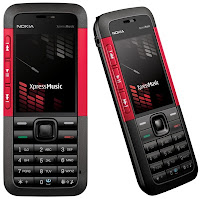
- *3370# This Nokia code activates Enhanced Full Rate Codec (EFR) - Your Nokia cell phone uses the best sound quality but talk time is reduced my approx. 5%
- #3370# Deactivate Enhanced Full Rate Codec (EFR) .
- *#4720# Activate Half Rate Codec - Your phone uses a lower quality sound but you should gain approx 30% more Talk Time.
- *#4720# With this Nokia code you can deactivate the Half Rate Codec.
- *#0000# Displays your phones software version, 1st Line : Software Version, 2nd Line : Software Release Date, 3rd Line : Compression Type .
- *#9999# Phones software version if *#0000# does not work.
- *#06# For checking the International Mobile Equipment Identity (IMEI Number) .
- #pw+1234567890+1# Provider Lock Status. (use the "*" button to obtain the "p,w" and "+" symbols).
- #pw+1234567890+2# Network Lock Status. (use the "*" button to obtain the "p,w" and "+" symbols) .
- #pw+1234567890+3# Country Lock Status. (use the "*" button to obtain the "p,w" and "+" symbols).
- #pw+1234567890+4# SIM Card Lock Status. (use the "*" button to obtain the "p,w" and "+" symbols) .
- *#147# This lets you know who called you last (Only vodofone).
- *#1471# Last call (Only vodofone) .
- *#21# This phone code allows you to check the number that "All Calls" are diverted to.
- *#2640# Displays phone security code in use .
- *#30# Lets you see the private number.
- *#43# Allows you to check the "Call Waiting" status of your cell phone.
- *#61# Allows you to check the number that "On No Reply" calls are diverted to .
- *#62# Allows you to check the number that "Divert If Unreachable (no service)" calls are diverted to .
- *#67# Allows you to check the number that "On Busy Calls" are diverted to
- *#67705646# Phone code that removes operator logo on 3310 & 3330
- *#73# Reset phone timers and game scores.
- *#746025625# Displays the SIM Clock status, if your phone supports this power saving feature "SIM Clock Stop Allowed", it means you will get the best standby time possible .
- *#7760# Manufactures code.
- *#7780# Restore factory settings.
- *#8110# Software version for the nokia 8110.
- *#92702689# Displays - 1.Serial Number, 2.Date Made, 3.Purchase Date, 4.Date of last repair (0000 for no repairs), 5.Transfer User Data. To exit this mode you need to switch your phone off then on again.
- *#94870345123456789# Deactivate the PWM-Mem.
- **21*number# Turn on "All Calls" diverting to the phone number entered.
- **61*number# Turn on "No Reply" diverting to the phone number entered .
- **67*number# Turn on "On Busy" diverting to the phone number entered .
- 12345 This is the default security code .
- press and hold # Lets you switch between lines.
Samsung Secret Codes , Sony Ericsson Secret Code
Hot Searches : nokia cellphone codes , nokia , unlock code , unlocking codes for nokia , codes for unlock , unlock nokia cell , nokia codes , unlock nokia for free
On 8:11 AM
READ FULL POST

Google has officially released Chrome 9 version of its web browser named as “Google Chrome 9.0.570.0″. It is now available for download via the Dev Channel for testers running Windows, Mac OS X and Linux. The new version includes many bug fixes and new enhancements as compared to its predecessors. (Complete Change Log)
Karen Grunberg from the Google Chrome team revealed:
“In terms of security, Chrome 9.0.570.0 Dev requires a user gesture when opening file choose dialog and make sure file choose dialog from invisible windows can not be displayed”.
In addition, with Chrome 9.0 graduating to the Dev Channel from the Chromium project, there are a number of issues which have been introduced which include:
- REGRESSION: Windows media player for Firefox doesn’t load – Issue 61603
- Regression: Accelerated compositing slows down the whole machine – Issue 61520
- google.com/wave : “Page Unresponsive” dailog box appears – Issue 61533
- myspace.com : Cannot enter a character in Comments field – Issue 61513
Most probably users will see the final version of Chrome 8.0 released by the end of this year. In addition to this, testers are also bound to get to play with the Beta for Chrome 9.0 ahead of 2011.
- Download:
Download Google Chrome Build 9.0.570.0 for Linux.
Download Google Chrome Build 9.0.570.0 for Mac.
On 11:27 PM
READ FULL POST

Here in this post i have explained a way that can make you famous on facebook easily. Just within a few minutes.
Here it goes :
Step 1 : Log in to your facebook account and Click on " Account " at the top right corner of your home page.
Step 2 : Click " Account setting "

Step 3 : Click Change Name

Step 4 : Type " Famous " and click "Change name "

Done!!! You are Famous now (Theoretically) ! You can also be popular by typing "Popular" instead of "Famous".
I know if a facebook dislike button would exist then this article would probably get a lot of clicks on that . But it does not exist . So i think its better to click "like" button. At least you can show that your mouse or touchpad really works !

On 9:40 AM
READ FULL POST
1. Never walk without a document in your hands

People with documents in their hand look like hardworking employees heading for important meetings. People with nothing in their hands look like they're heading for the cafeteria. People with a newspaper in their hand look like they're heading for the toilet. Above all, make sure you carry loads of stuff home with you at night, thus generating the false impression that you work longer hours than you do.
2. Use computers to look busy

Anytime you use a computer, it looks like “work” to the casual observer. You can send and receive personal e-mail, chat and generally have a blast without doing anything remotely related to work. These aren't exactly the societal benefits that the proponents of the computer revolution would like to talk about but they're not bad either. When you get caught by your boss - and you*will* get caught — your best defense is to claim you're teaching yourself to use new software, thus saving valuable training dollars.
3. Messy desk

Top management can get away with a clean desk. For the rest of us, it looks like we're not working hard enough. Build huge piles of documents around your workspace. To the observer, last year's work looks the same as today's work; it's volume that counts. Pile them high and wide. If you know somebody is coming to your cubicle, bury the document you'll need halfway down in an existing stack and rummage for it when he/she arrives.
4. Voice Mail

Never answers your phone if you have voice mail. People don't call you just because they want to give you something for nothing - they call because they want YOU to do work for THEM. That's no way to live.Screen all your calls through voice mail. If somebody leaves a voice mail message for you and it sounds like impending work, respond during lunch hour when you know they're not there - it looks like you're hardworking and conscientious even though you're being a devious weasel.
5. Looking Impatient and Annoyed

According to George Costanza, one should also always try to look impatient and annoyed to give your bosses the impression that you are always busy.
6. Leave the Office Late

Always leave the office late, especially when the boss is still around. You could read magazines and storybooks that you always wanted to read but have no time until late before leaving. Make sure you walk past the boss' room on your way out. Send important emails at unearthly hours
(e.g. 9:35pm, 7:05am, etc.) and during public holidays.
7. Creative Sighing for Effect

Sigh loudly when there are many people around, giving the impression that you are under extreme pressure.
8. Stacking Strategy

It is not enough to pile lots of documents on the table. Put lots of books on the floor etc. (thick computer manuals are the best).
9. Build Vocabulary

Read up on some computer magazines and pick out all the jargon and new products. Use the phrases freely when in conversation with bosses.Remember: They don't have to understand what you say, but you sure sound impressive.
10. MOST IMPORTANT!!!:

DON'T forward this to your boss even by mistake!!!
People with documents in their hand look like hardworking employees heading for important meetings. People with nothing in their hands look like they're heading for the cafeteria. People with a newspaper in their hand look like they're heading for the toilet. Above all, make sure you carry loads of stuff home with you at night, thus generating the false impression that you work longer hours than you do.
2. Use computers to look busy
Anytime you use a computer, it looks like “work” to the casual observer. You can send and receive personal e-mail, chat and generally have a blast without doing anything remotely related to work. These aren't exactly the societal benefits that the proponents of the computer revolution would like to talk about but they're not bad either. When you get caught by your boss - and you*will* get caught — your best defense is to claim you're teaching yourself to use new software, thus saving valuable training dollars.
3. Messy desk
Top management can get away with a clean desk. For the rest of us, it looks like we're not working hard enough. Build huge piles of documents around your workspace. To the observer, last year's work looks the same as today's work; it's volume that counts. Pile them high and wide. If you know somebody is coming to your cubicle, bury the document you'll need halfway down in an existing stack and rummage for it when he/she arrives.
4. Voice Mail
Never answers your phone if you have voice mail. People don't call you just because they want to give you something for nothing - they call because they want YOU to do work for THEM. That's no way to live.Screen all your calls through voice mail. If somebody leaves a voice mail message for you and it sounds like impending work, respond during lunch hour when you know they're not there - it looks like you're hardworking and conscientious even though you're being a devious weasel.
5. Looking Impatient and Annoyed
According to George Costanza, one should also always try to look impatient and annoyed to give your bosses the impression that you are always busy.
6. Leave the Office Late
Always leave the office late, especially when the boss is still around. You could read magazines and storybooks that you always wanted to read but have no time until late before leaving. Make sure you walk past the boss' room on your way out. Send important emails at unearthly hours
(e.g. 9:35pm, 7:05am, etc.) and during public holidays.
7. Creative Sighing for Effect
Sigh loudly when there are many people around, giving the impression that you are under extreme pressure.
8. Stacking Strategy
It is not enough to pile lots of documents on the table. Put lots of books on the floor etc. (thick computer manuals are the best).
9. Build Vocabulary
Read up on some computer magazines and pick out all the jargon and new products. Use the phrases freely when in conversation with bosses.Remember: They don't have to understand what you say, but you sure sound impressive.
10. MOST IMPORTANT!!!:
DON'T forward this to your boss even by mistake!!!
On 11:42 PM
READ FULL POST

Online chat can refer to any kind of communication over the Internet, but is primarily meant to refer to direct one-on-one chat or text-based group chat (formally also known as synchronous conferencing), using tools such as instant messengers, Internet Relay Chat, talkers and possibly MUDs. The expression online chat comes from the word chat which means "informal conversation".
These days , chatting has a vital place in our life , sometimes during chatting , people use short languages like lmao,lol etc. and some people gets confused as to what this mean actually .. so today , I am going to accumulate all such words used in chatting with their meanings . Hope you gonna like it : )
Not every abbreviation you’ll ever come across there, but certainly enough to get the flavour of the language, and probably enough to work out what anything other than this might mean if you do get sent it.
via : hubpages
via : hubpages
AFK | Away From Keyboard | BBL | Be Back Later |
AFAIK | As Far As I Know | BRB | Be Right Back |
ASL | Age, Sex & Location | BRT | Be Right There |
CFN | Ciao For Now | DIKU | Do I Know You |
CID | Consider It Done | DK | Don't Know |
CM | Call Me | DWL | Dying With Laughter |
CU | See You | ||
EG | Evil Grin | FFS | For F**ks Sake |
EL | Evil Laugh | FWIW | For What It’s Worth |
EM? | Excuse Me? | FYEO | For Your Eyes Only |
EOD | End Of Discussion | FYI | For Your Information |
G2G/GTG | Got To Go | HAGD | Have A Great Day |
GAL | Get A Life | HAGN | Have A Good Night |
GBH | Great Big Hug | HAGO | Have A Good One |
GBTW | Get Back To Work | HAK | Hugs And Kisses |
GF | Girl Friend | HAND | Have A Nice Day |
GFC | Going For Coffee | HB | Hurry Back |
GFETE | Grinning From Ear To Ear | ||
GL | Good Luck | ||
IAC | In Any Case | JAS | Just A Second |
IBTD | I Beg To Differ | JK | Joke |
IC | I See | JM2C | Just My 2 Cents |
ICBW | I Could Be Wrong | JT | Just Teasing |
IDC | I Don't Care | ||
IDK | I Don't Know | KK | OK (Bizarrely!) |
IMCO | In My Considered Opinion | KWIM | Know What I Mean |
IMHO | In My Humble Opinion | ||
IMI | I Mean It | ||
IRL | In Real Life | ||
L8R | Later | M8 | Mate |
LMAO | Laugh My Ass Off | MIHAP | May I Have Your Attention Please |
LOL | Laugh Out Loud | MKOP | My Kind Of Place |
MMS | Multimedia Messaging System | ||
MSG | Message | ||
MYOB | Mind Your Own Business | ||
N1 | Nice One | OIC | Oh, I See |
N2M | Not To Mention | OMG | Oh My God |
NALOPKT | Not A Lot Of People Know That | OOC | Out Of Character |
NAP/NP/NPS | Not A Problem | OTOH | On The Other Hand |
NBD | No Big Deal | ||
NBIF | No Basis In Fact | PAW | Parents Are Watching |
NC | No Comment | PCM | Please Call Me |
NE1 | Anyone | PLS | Please |
NM | Never Mind | PM | Personal/Private Message |
NRN | No Reply Necessary | PML | Pee Myself Laughing |
NSFW | Not Safe For Work | PPL | People |
NTK | Nice To Know | ||
NTYMI | Now That You Mention It | QQ | Crying |
NW | No Way | QT | Cutie |
RBAY | Right Back At Ya | SH | Stuff Happens |
RLF | Real Life Friend | SMAIM | Send Me An Instant Message |
ROFL | Rolling On The Floor Laughing! | SMEM | Send Me E-Mail |
ROFLMAO | Rolling On The Floor Laughing My Ass Off! | SRY | Sorry |
ROFLOL | Roll On Floor Laughing Out Loud! | STFU | Shut The F**k Up |
ROTFL | Rolling On The Floor Laughing! | SYS | See You Soon |
TAFN | That's All For Now | UR | You Are |
TB | Text Back | URW | You Are Welcome |
TDTM | Talk Dirty To Me | ||
TFN | Thanks For Nothing | VBG | Very Big Grin |
THX | Thanks | VFM | Value For Money |
TIC | Tongue In Cheek | VM | Voice Mail |
TM | Trust Me | ||
TTYL | Talk To You Later | ||
TXT | Text | ||
TYVM | Thank You Very Much | ||
W8 | Wait | X | Kiss |
WFM | Works For Me | XME | Excuse Me |
WG | Wicked Grin | XOXO | Hugs And Kisses |
WKND | Weekend | ||
WRK | Work | YKW? | You Know What? |
WTB | Want To Buy | YNK | You Never Know |
WTF | What The F**k | YPI | Your Point Is |
WTG | Way To Go! | YW | You're Welcome |
WYP | What's Your Problem? | ||
WYS | Whatever You Say | ZZZ | Sleeping, Bored, Tired |
WYT | Whatever You Think | ||
WYWH | Wish You Were Here |
On 11:03 PM
READ FULL POST
Subscribe to:
Posts (Atom)


